Many of our clients and indeed software development teams worldwide use Jira as a powerful work management tool for all kinds of use cases - from requirements and test case management to agile software development.
If you are using Jira, you will appreciate the importance of knowing if your work has shipped or being able to provide insights when asked when something will ship.
A real time view of customer value is often something that - typically - only operations and some developers have access to. Lack of access to this information can slow decision-making and lead to more meetings and even duplication of work.
One way to mitigate this: Deployments in Jira.
Track progress on your work and software delivery
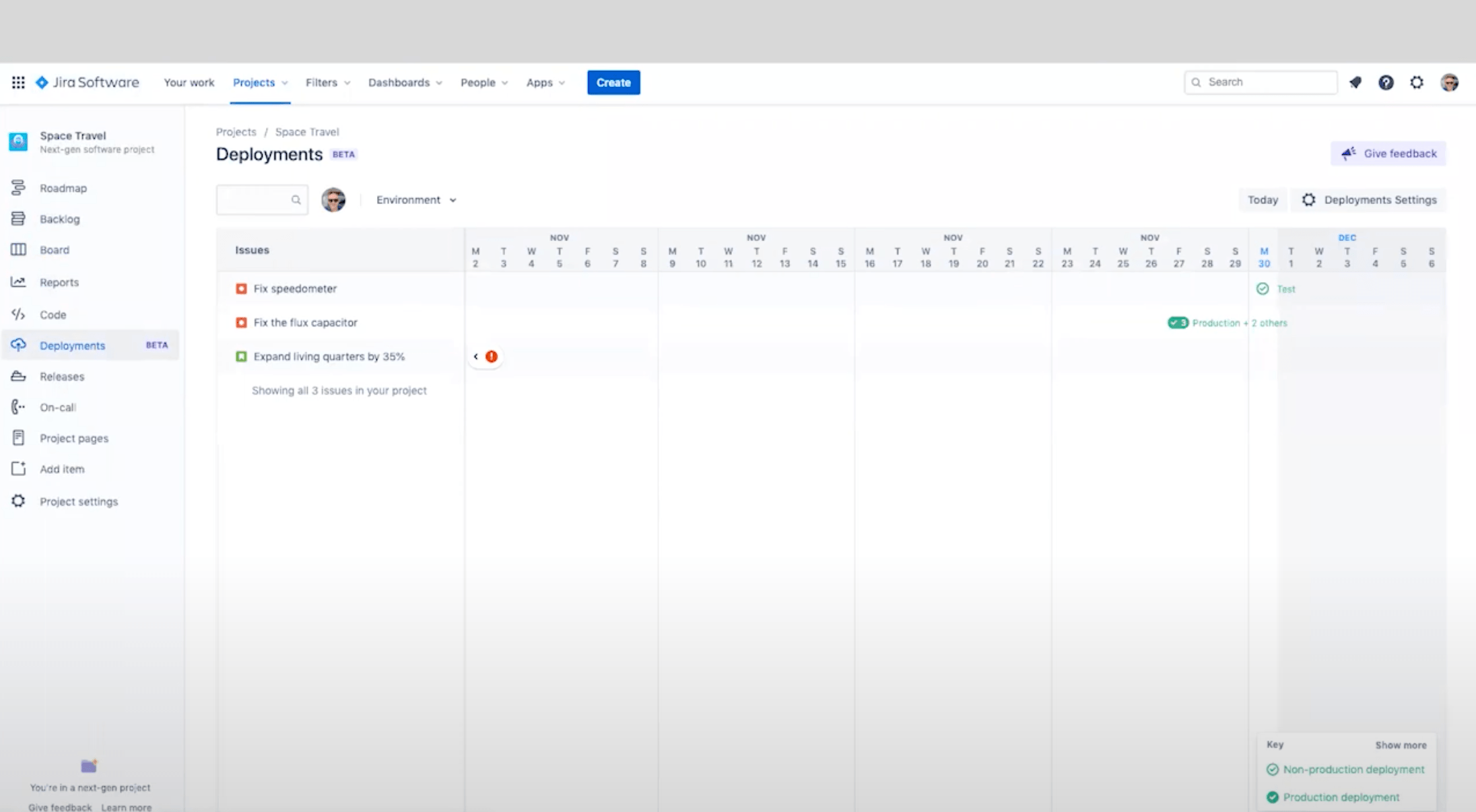
Deployments in Jira automatically track progress on your software and work delivery.
With this view, you can see what work has been deployed, when - across any CI/CD provider, from Bitbucket Pipelines to third-party vendors like Jenkins, Azure DevOps, and CircleCI - as it moves through the pipeline.
All without having to ask a developer.
How does it work or how do you configure your deployment views?
The Atlassian team has created this step by step video explainer to answer this and showcase the possibilities.
Extra tip: Deployment Frequency
To provide more visibility and better insights with Jira when it comes to deployments, Atlassian has also offered a “Deployment Frequency” capability.
Essentially, Jira can now track performance across any CI/CD provider. It automatically calculates how often your team is shipping value and how this is trending over time so that you don’t have to manually coordinate across tools or bug your ops team!
Want more Jira tips to maximise your Atlassian investment?
To assist teams to embrace Agile methodology, expand collaboration and foster the ability to better respond to market trends and work processes, you need the right tools as well as the right mindset. To complement our Agile services we can help implement, train and expand on your Agile tools using Atlassian services such as Jira.
Get in touch for an initial free consultation on how our Atlassian experts can help maximise your investment on Jira and Confluence.