Atlassian and Outlook Got Together to Give us Awesomeness

By Lindsey Duncan 2 min read
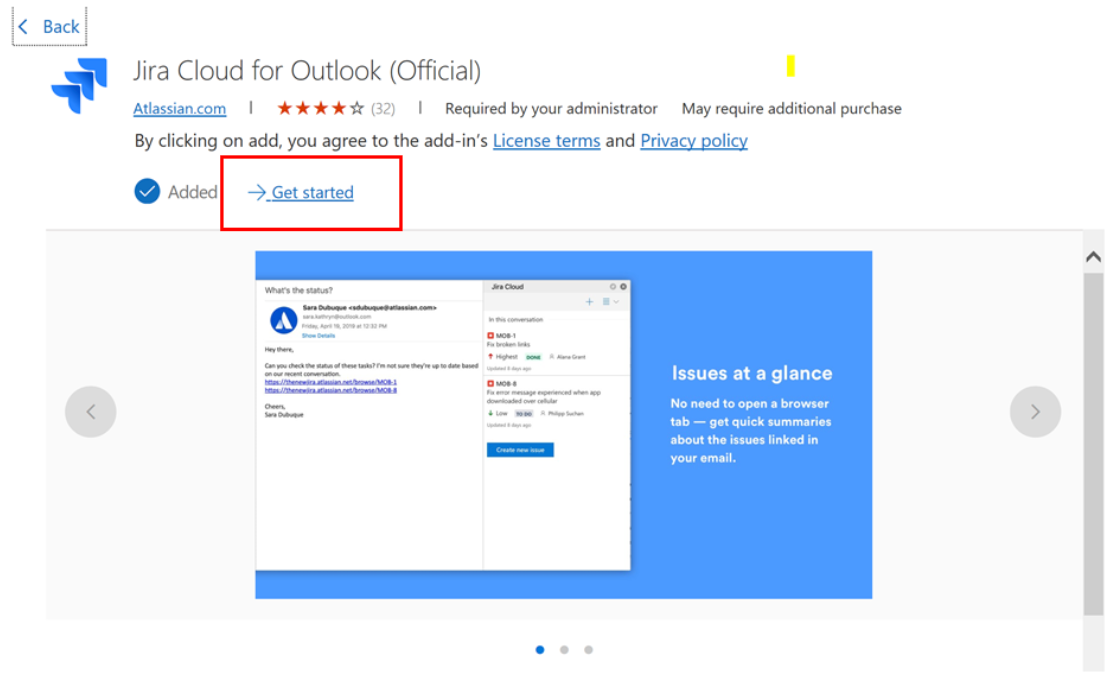
As a Microsoft and Atlassian Partner, we at Interfuze get very excited when both tech giants work together to give us the capability to use both of their powerful applications to make our everyday work and communications more effective.
In Atlassian’s Marketplace, you will find the following plugin: “Jira for Outlook.”
The plugin allows Outlook users to create new Jira issues, view up-to-date information about existing issues and take action on them in a couple of clicks - all done without having to leave Outlook!
Let’s take a deeper look into how this plugin works.
Jira and Outlook in harmony
In 2019 alone, 293.6 billion emails were sent and received each day (Statista, 2020). That's a staggering amount of daily emails. By the end of this year, with the world doing more remote work, it is expected that 347.3 billion emails will be sent daily.
Email is obviously an important communications tool between teams, organisations and companies.
However the information in emails is often outdated, and going through your emails to triage the important things requires a fair amount of back and forth between your inbox and each app.
Jira for Outlook add-in solves this problem by letting you manage your backlog from Outlook via Jira.
The functionalities
The Jira for Outlook plugin will allow you to:
- View the current status of Jira issues mentioned in an email
- View rich, up to date information about a Jira issue
- Update a Jira issue in a couple of clicks from your inbox: transition, assign and comment
- Create a new Jira issue from an email so the full context is readily available when starting work on a task
All of this done without having to leave your Outlook or open a new tab in your browser!
Install Jira for Outlook by using these steps
Of course we at Interfuze have installed and are using this plugin already. If you are also keen to do the same, follow these steps:
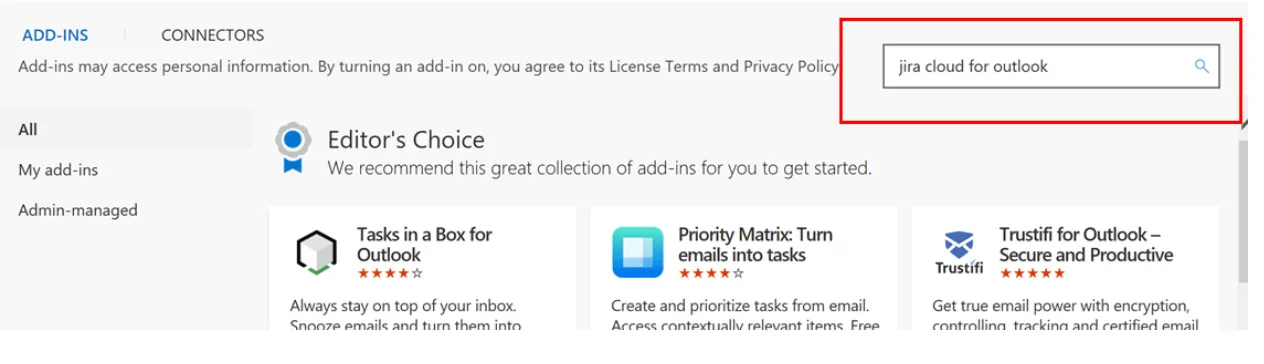
- To install, open Outlook and go to Home -> Get Add-ins and search for Jira Cloud for Outlook
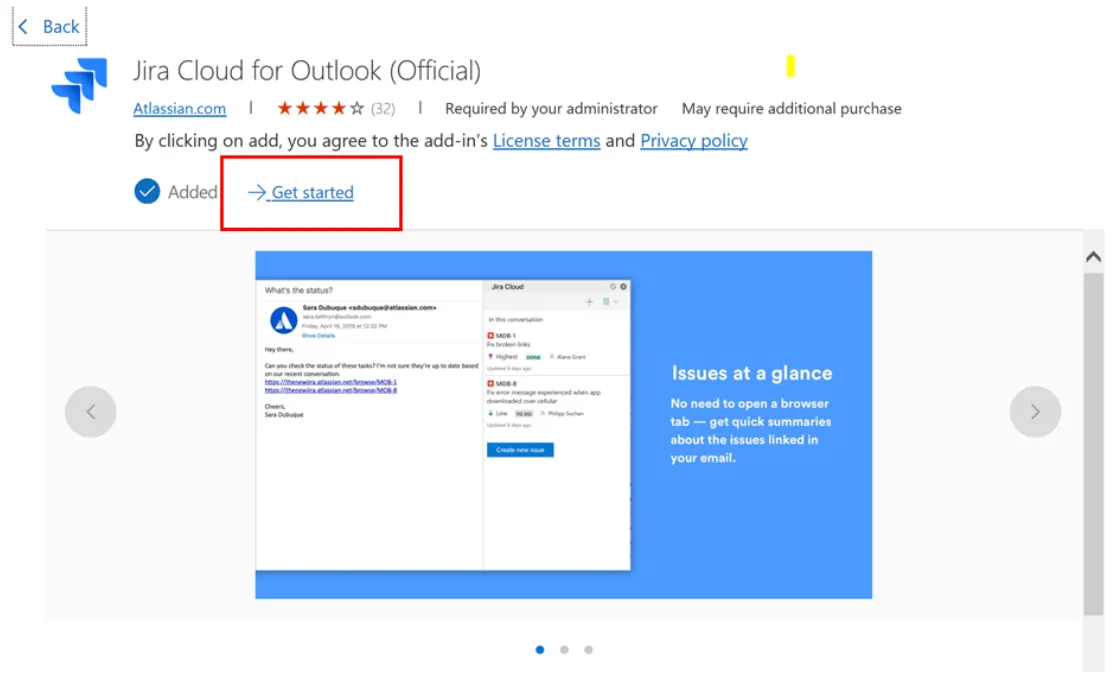
- Open the option that comes up and click on ‘Get Started’ to install
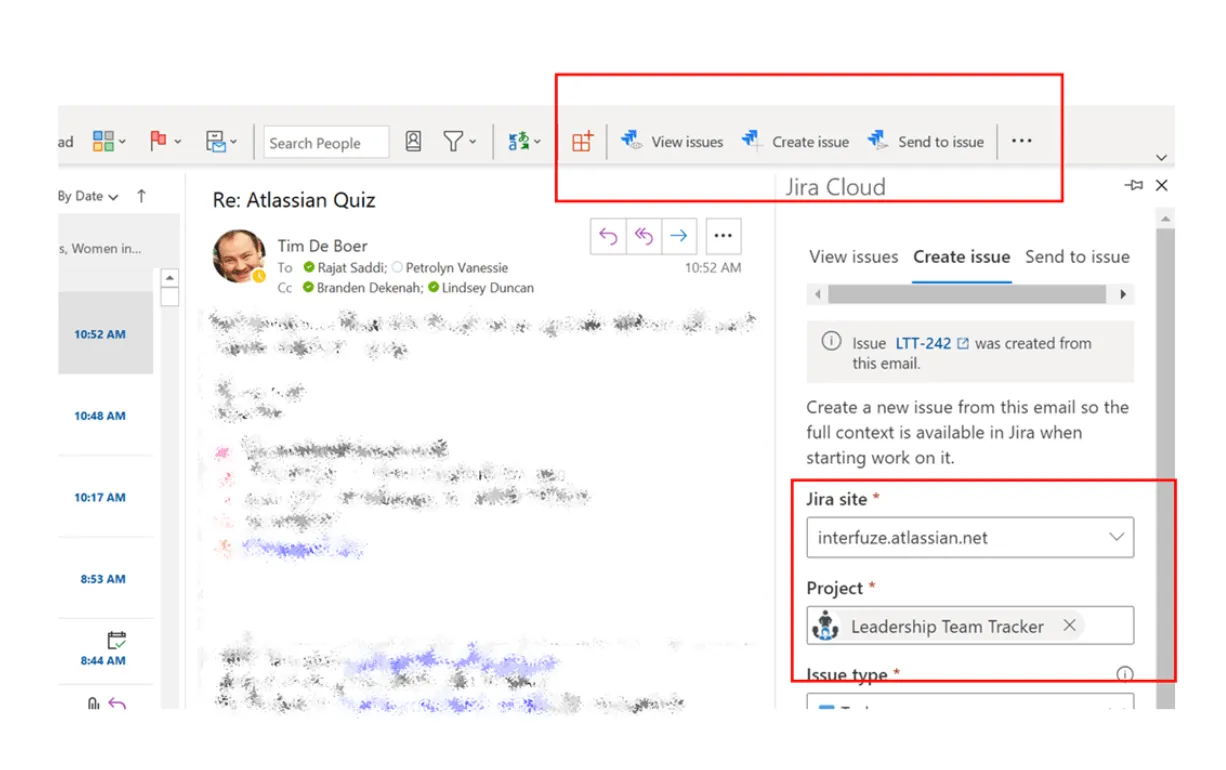
- Once installed you’ll get options to View, Create & Send to issue in the Home bar of your email.
- In the example below our very own Tim de Boer needs to add some info to our leadership tracker (a project in Jira). Rather than open Jira, he can just click on ‘Create issue,’ select our Jira site and the project then enter the details and he’s done!
- Bonus tip: To send the details of an issue to an existing Jira ticket - a super nice feature – select: ‘Send to issue’, start typing to find the issue, you can then choose to either attach the email or (better) add a comment and there’s an option to paste the contents of the email into the comment.
Get in touch for Atlassian and Jira Support
Need assistance to install and use this awesome new plugin or to further extend your Jira instance?
Our Atlassian experts at Interfuze - which also includes Lindsey, Hugh, Danielle, Raj, Ben, Tim and Brendan - are always eager to assist and help you and your teams maximise your Atlassian and Jira investment.
Get in touch for a free initial consult.